Monday, October 25, 2010

Silent Film

Silent Film


Groups up to five
Assignment

You are to produce a narrative (conflict, story structure etc.) comedy or drama, which uses no dialogue.  The story moves forward through the actions of the characters.  Use music to set the mood.  All music must be copyright clear. 

Pre-production: 

1. Story description – 1 paragraph (include conflict!)
2. Script outline with Title  (See example on back)
3. Actors names with characters names
4. Shooting Dates and Locations
5. Props and Costumes
6. Music pieces--more than one! (CD # and track #)
7. Shot List!!!

Evaluation

q  Camera work (Angles/steady shots)
q  Editing (Transitions/Effects)
q  Lighting
q  Music choices
q  Story telling (clarity/interest/creativity)
q  Entertainment Value/Level of Difficulty
q  Pre-production

TOTAL........................../100

Example Script
Hubba Hubba
Produced by (your name here)

Actors:        Morgan Cartier - man
                        Trevor Delahaye - man
                        Becca Crawford - woman 1
                        Amy Belling - woman 2

Shooting Dates:        December 4  after school
                                     December 5 all day

Locations:                    December 4: Campbell Valley Park
                                    December 5: Campbell Valley Park
                                                              Parking Lot, IGA
                                                              Old Country Restaurant (in front)
Props and Costumes:
                                    cape for Becca
                                    dress for Becca
                                    hat and sweater for Morgan
                                    hat for Trevor
                                    umbrella
                                    Van
                                   

Music:         1. QCCS Volume 12 “Comedy Variety Music”  Tracks #2 and #9
                         2. Network Volume 155  Track #14

Description of Story including conflict: Two young men pursue the same young woman and find ways of getting rid of each other.  This video is in black and white and fast motion in a similar style to a Charlie Chaplin film.

Script Outline:

Opening:  Two main characters (two men) are walking down the street together.  They both spot a lovely young woman at the same time and are obviously taken with her.

Middle:  Both young men pursue the young woman and try to win her over.  The first man puts his coat down on a puddle for her to cross.  The second man pulls the coat away and lays himself over the puddle. She walks across his back and then continues to walk with the first man.  The second man chases and hides under a bridge they are standing on.  He jumps up on the bridge and whisks her away from the first man.  The first man chases after and tackles the second man.  The chase scene begins.  The second man pursues the first man on foot and comes to a parking lot.  He jumps into a van and begins chasing the first man who is still on foot. The first man hops into a box to hide. The second man finds him and gets back into the van and drives over the box.  The first man falls out apparently unhurt. 

Ending:  They begin dueling with umbrellas.  Basic slapstick comedy here with completely choreographed cheesy duel.   At the height of the fight they both notice another young woman walking past and are obviously taken with her.  They begin walking after her.  (Circular story)

Dianna Cohen: Tough truths about plastic pollution | Video on TED.com

Dianna Cohen: Tough truths about plastic pollution Video on TED.com

Monday, October 18, 2010

Good day

Today you will be introduced to artist: BARBARA KRUGER

Barbara Kruger  <----- to see more :)


CHOOSE AN ISSUE 

Have students name an issue or message they feel needs to be "PROMOTED" within their community (or possibly globally). They can refer to the questionnaire or you can break them up into small collaborative learning groups and have each group come up with three ideas.


WRITE A SLOGAN

Once each student or group has chosen an issue, have each group create a slogan like "Just do it" or "Crack is Whack". It is best to have the saying be no more than 4 or 5 words. This is really the most difficult part of this project. Most students will simply write down a statement of the issue and be satisfied with it as the slogan. You will need to challenge them. Tell them to reduce it to the least amount of words possible without losing its meaning. Have them rewrite it and exchange certain words with slang words they use everyday. 


TAKE PICTURES

At this point you will need a digital camera and a computer with a printer. Most digital cameras will come with the software you’ll need to download pictures. The project at Austin High School was created with a $200. digital camera and 5-year old Macs.

Show students the process of taking pictures, downloading images on computer, and printing the image out. 

Discuss with students the expressive qualities of pose and cropping. It is best when working with photography and copy machines to have as much detail as possible. This is why close up shots are preferable. Limit your students to no more than two people in a pose and encourage zooming in even closer than they might feel comfortable with. You should produce teaching samples or find advertising images to show your students how feelings can be expressed using just your hands, eyes, or body language.

When images have been shot and downloaded, encourage students to make choices on-screen before printing and to consider whether each image could be made more dramatic or dynamic by further cropping.

Note: This process of image creation could also be done using traditional photography, found images, copying machine, or stencils if you do not have access to the technology or are not proficient with it. Be creative.


COMBINE IMAGES AND TEXT

The students can type their slogans on a computer and print them out.
Aim for strong, bold compositions.
Have the students compose the two elements in an advertising format of their choice. Do they imagine the final product to be a bus graphic, billboard or magazine ad? 


Tuesday, October 12, 2010

Tuesday Morning

Today we have a double block. All students will get into groups of 4 and sign out a camera and get a sign out card from Mrs.Pye.

Thursday, October 7, 2010

Friday!

Good Afternoon!


Today is a 'catch up day' stay tuned for a new unit beginning next week.
All assignments are due!
Work hard today :)

Happy Thursday

step-by-step Logo design


Today you will be creating a personal logo after completing the below assignemnt:

Vam 9/10
The Logo


Definition: an emblem of an organization used in its display material.

The Logo

The logo, often a symbol, is used to help the consumer identify with a particular company. Can you think of any popular logos? Even when we do not see the company name we are associating the symbol to the product.

Logos can be identified into four categories:

1. Logos consisting of symbols   (Obama rising sun logo)

2. Logos consisting of a name in a certain style or type   (Virgin Mobile)

3. Logos consisting of initials   (Droors Clothing footwear)

4. Logos consisting of names or initials with added graphics (skull skates)


Assignment:

1. Using magazines, glue one logo from each category onto a new piece of paper and write down what kind of logo it is.
2. Create your own personal logo. You may choose to represent a company such as: clothing company, beverage, skateboard etc.


* You must have 5 thumbnails and a completed logo.

Monday, October 4, 2010

Happiness is Monday Morning....right?>

We will begin with drawing to music exercise :)
Please think about what you would like to create and begin searching for images or take a photo of the action.


Assignments for this week:
Shoe design continued for Grade 9 and those interested in Grade 10.
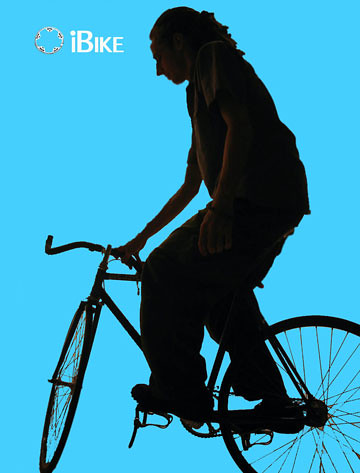
Otherwise you will begin an i-pod ad in Adobe Photoshop.
Process:
-Brainstorm ideas
-Check out ads
-Take a photo or find one
-Bring into Adobe Photoshop
-Re size to 8.5x11 inches at 300 Resolution
-Bring down the colour and 'cut out' the image
-ad a slogan ex: iSing
-Create a background
-Print to CP2025n printer